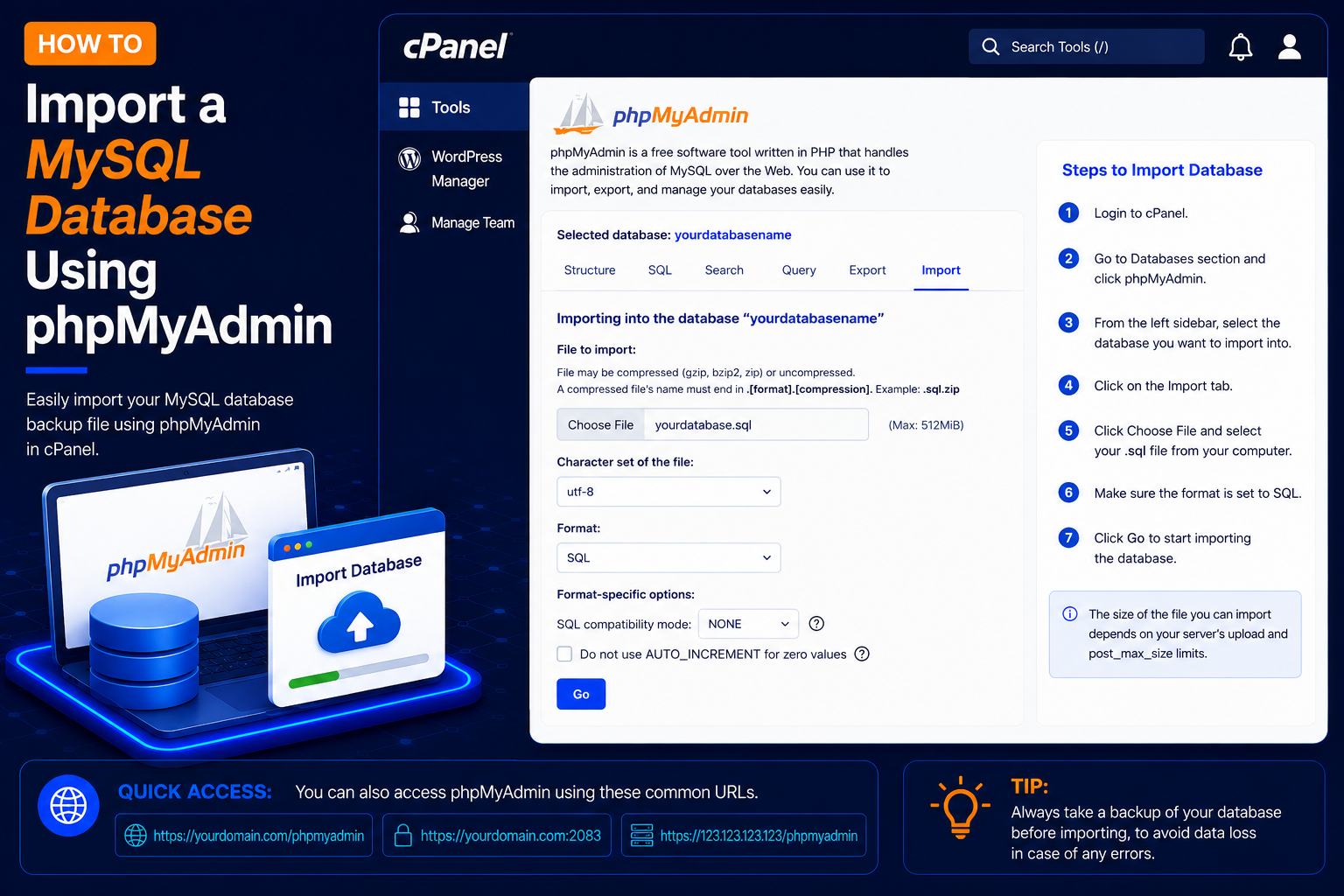
How to Import a MySQL Database Using phpMyAdmin
phpMyAdmin is a web-based database management tool available with many cPanel hosting accounts. It allows you to create tables, manage database data, run SQL queries, and import or export MySQL databases directly from your browser.
If you have a database backup such as a .sql file, you can use phpMyAdmin to restore it to an existing MySQL database.
What Do You Need?
Before starting, make sure you have:
- Access to your cPanel account
- A MySQL database
- A database backup file
- Your
.sql,.sql.gz, or other format supported by your phpMyAdmin installation - Enough available database and hosting resources for the import
If you haven’t created a database yet, first create one through:
cPanel → MySQL Databases / Manage My Databases
Step 2: Open phpMyAdmin
- After logging in to cPanel, scroll to the Databases section.
- Click: phpMyAdmin
- phpMyAdmin will open in a new page or browser tab.
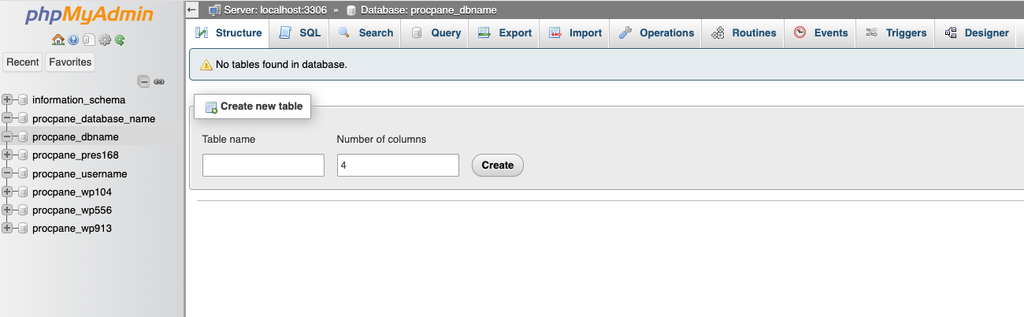
Step 3: Select Your Database
- After selecting your database, look at the top navigation menu.
- Click: Import
- The database import page will open.
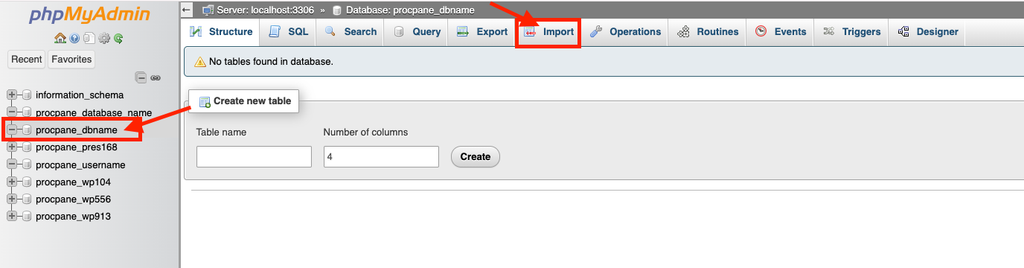
Step 4: Click the Import Tab
- After selecting your database, look at the top navigation menu.
- Click: Import
- The database import page will open.
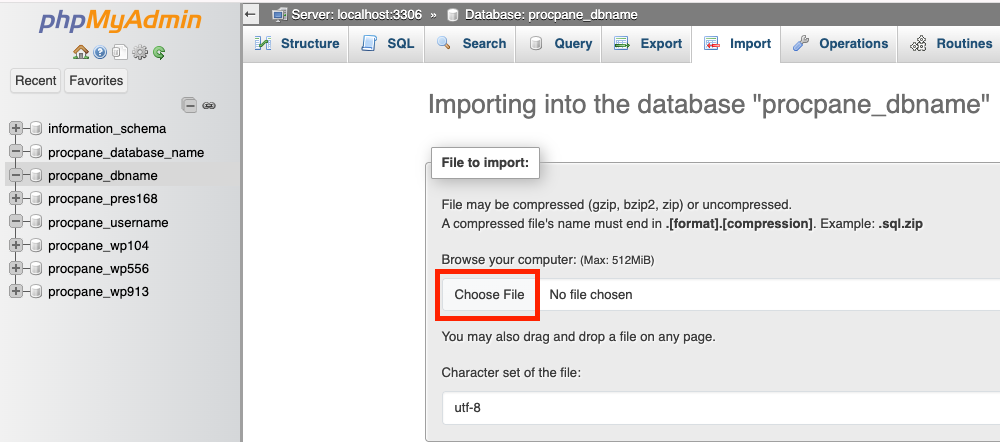
Step 5: Choose Your SQL File
- Under the File to import section, click:
- Choose File
- Select the database backup from your computer.
- For example: website-backup.sql
- Depending on your phpMyAdmin configuration, compressed database files such as:
- website-backup.sql.gz
- May also be supported.
Step 6: Start the Database Import
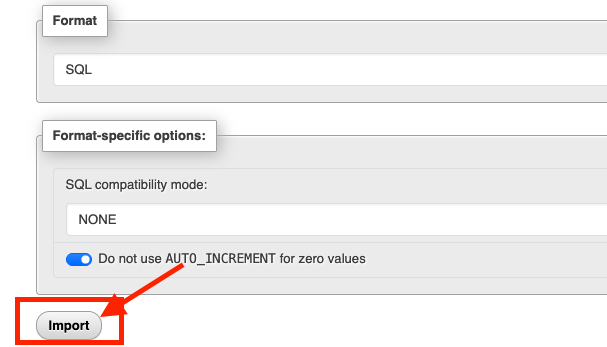
- After selecting your database backup file and checking the import options, scroll to the bottom of the page.
- Click: Import
- or Go, depending on your phpMyAdmin version.
- phpMyAdmin will begin importing the database.
- Do not close the browser window while the import is running
Step 8: Check the Import Success Message
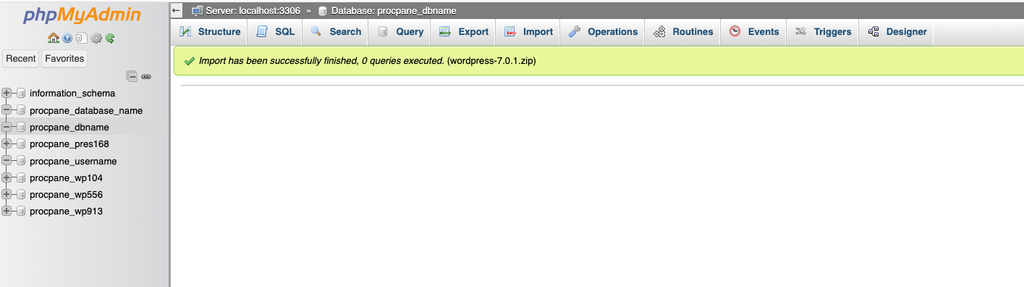
- After the import finishes successfully, phpMyAdmin should display a success notification.
- Your database tables should also appear under the selected database.